Read:04 | CSS Grid
Game: Grid Garden by Flexbox Froggy
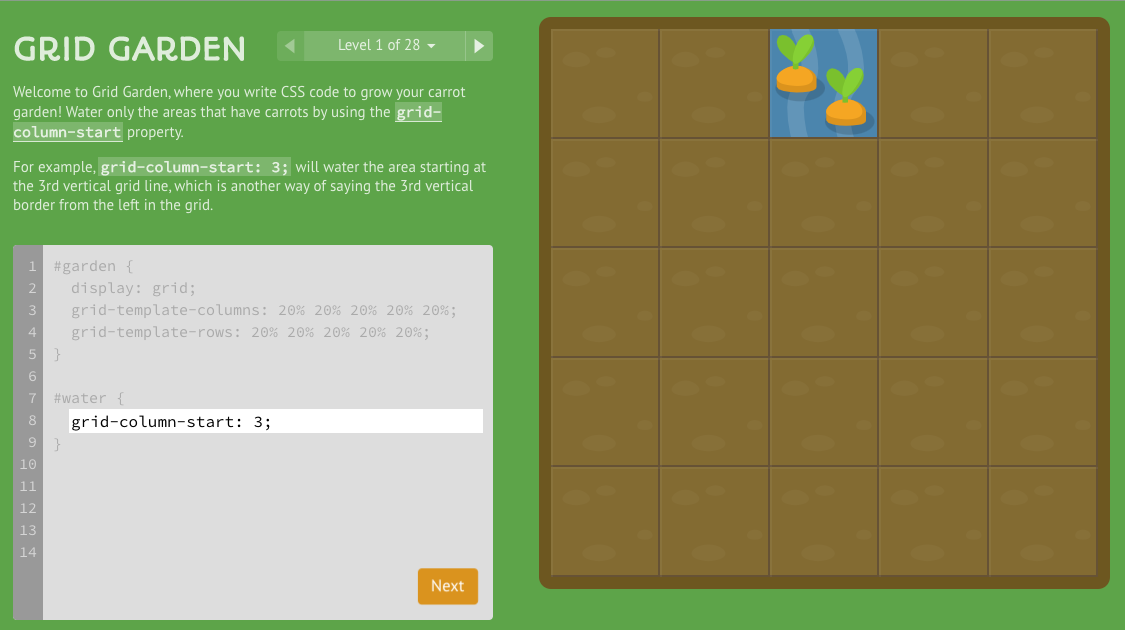
Notes from playing the Grid Garden game
Setting up the Parent Container
- The parent (container) will set the
displayproperty togrid - The parent will define the
grid-template-columnsandgrid-template-rowswith % values.- Ex: To make 5 column layout, 100 / 5 is 20, so 20%
grid-template-columns: 20% 20% 20% 20% 20%; - You can also use the
repeatfeature like this:grid-template-columns: repeat(8, 12.5%);
- Ex: To make 5 column layout, 100 / 5 is 20, so 20%
- There is also a
unitknown asfrwhen setting the template, it’s a fraction of the total units you want, like this:grid-template-columns: 1fr 5fr;This means of a 6-column-wide layout concept, have 1 column be 1/6th of the page and the 2nd column to be 5/6ths of the page
Horizontal axis with grid Columns
- The child item (like the #water in the above image) can be told where to start:
grid-column-start: 3;- Use
grid-column-end:as well if you want the item to span mulitple columnsFYI: in the usual case, the end is not inclusive so add 1
- Use
- Using negative values is a little weird, so be sure to look it up before using it
- If you use the
spankeyword it will end that many columns away from your start:grid-column-end: span 5;means keep it across 5 columns no matter where you start (as opposed to justend: 5means stop at column 5 specifically)- You can do thte same thing with
startwhile defining the specific end and spanning from startNOTE: There is a short hand that could like like this:
grid-column: 4 / 6;
- You can do thte same thing with
Vertical axis with grid Rows
- So
grid-row-start: 3starts on the third row down the box like in the image above -
Here is a screenshot showing the short hand vertical / row property:
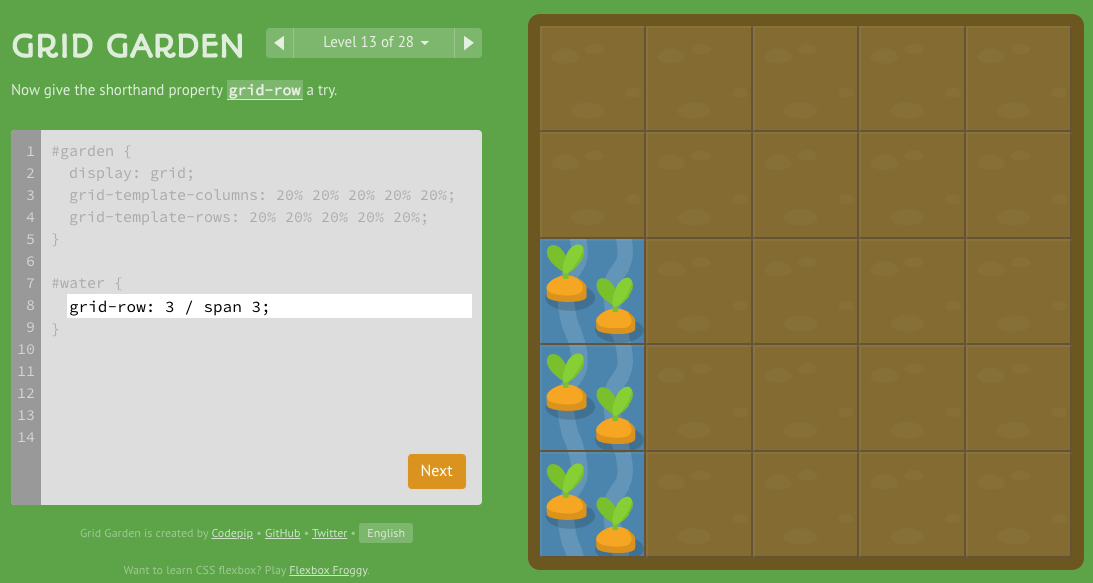
- Here is summary snap shot of using BOTH
columnandrowshorthand to span across a large section: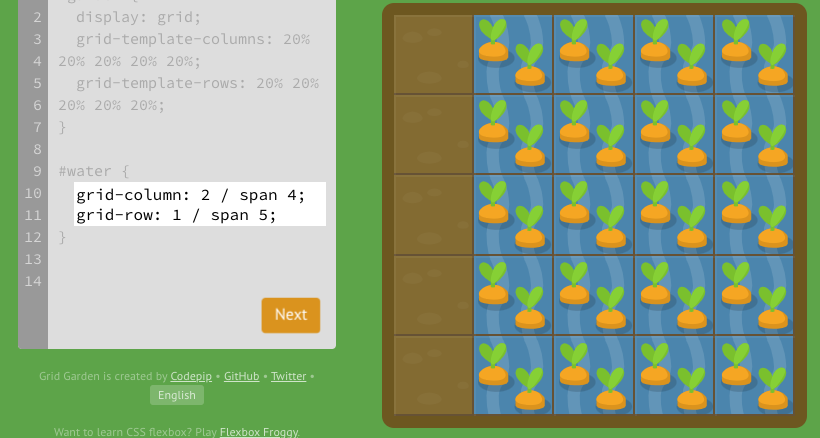
NOTE: If you wanna get crazy, there is an even SHORTER short hand:
grid-area: 1 / 1 / 3 / 6;(row-start, column-start, row-end, column-end respectively)
- The
orderproperty exists like inflexboxto dictate the order of things on the page outside the default source ordering.